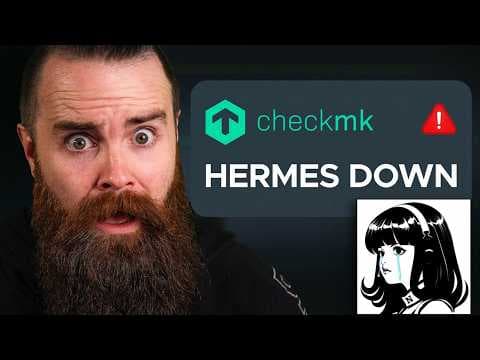
You can monitor EVERYTHING in your homelab with this
Easily monitor your devices for free with Checkmk: https://checkmk.io/networkchuck
I set up Checkmk, a free and open source monitoring server, and pointed it at everything in my home lab. Linux servers, my MikroTik and UniFi gear, Docker containers, Proxmox VMs, my website, my Windows gaming PC, Plex, Home Assistant and every one of my Hermes AI agents. It started finding problems while I was still recording: my Ceph SSD pool was 97% full, my 10 gig NIC was running at 5 gig, and Terry's switch port had been up for a year and 108 days. Then I broke one of my AI agents on purpose, Checkmk sent the alert to my AI IT department, and Ron fixed it on his own.
In this video you'll learn how to install Checkmk Community on Ubuntu in under five minutes, how the Checkmk agent and auto discovery work, how to scan your network with SNMP, how to monitor Docker containers with piggyback data and Proxmox VMs through the API, how to add plugins from the Checkmk Exchange and build your own checks with AI, and how to send alerts to Slack and to an AI agent that opens a ticket. Whether you run three Raspberry Pis or a full rack, this is how you finally know when your stuff is down.
Join the NetworkChuck Academy!: https://ntck.co/NCAcademy
RESOURCES / LINKS:
📄 Follow-along guide (every command from the video): https://github.com/theNetworkChuck/checkmk-guide
🛠️ Get Checkmk (free Community edition or the Ultimate trial): https://checkmk.io/networkchuck
🧩 Checkmk Exchange (community plugins, including the UniFi one): https://exchange.checkmk.com
📖 Checkmk documentation: https://docs.checkmk.com/latest/en/
📖 Monitoring Docker (piggyback setup): https://docs.checkmk.com/latest/en/monitoring_docker.html
📖 Monitoring Proxmox VE (special agent): https://docs.checkmk.com/latest/en/monitoring_proxmox.html
📖 Local checks (how I monitor my Hermes agents): https://docs.checkmk.com/latest/en/localchecks.html
📖 Checkmk REST API (what my AI agents use): https://docs.checkmk.com/latest/en/rest_api.html
💰 Compare the Checkmk editions: https://checkmk.com/pricing
💻 Checkmk on GitHub: https://github.com/Checkmk/checkmk
📺 My AI IT department (Paperclip): https://www.youtube.com/watch?v=7RVf25Rg0Mc
📺 Set up your own AI agent (Hermes): https://www.youtube.com/watch?v=QQEgIo4Juxg
TIMESTAMPS:
0:00 I found a way to monitor everything
0:53 Install Checkmk in under 5 minutes
3:00 Add your first Linux host with the Checkmk agent
7:16 Monitor your network with SNMP
10:49 Monitor Docker containers (piggyback)
16:47 Monitor Proxmox VMs through the API
20:24 Monitor your websites
22:15 Monitor a Windows PC
23:55 Ceph and hard drive plugins (my NAS was 97% full)
25:27 Plugins from the Checkmk Exchange (UniFi)
27:18 Build your own checks with AI (Plex, Home Assistant)
28:56 Monitor your AI agents (Hermes)
30:08 Send alerts to Slack
31:11 Send alerts to my AI IT department
32:23 Let an AI agent run Checkmk (REST API)
33:30 Everything in one place
34:40 Final thoughts
Sponsored by Checkmk
SUPPORT NETWORKCHUCK:
☕☕ COFFEE and MERCH: https://ntck.co/coffee
READY TO LEARN??
🔥🔥Join the NetworkChuck Academy!: https://ntck.co/NCAcademy
📚 CCNA Course: https://ntck.co/ccna
FOLLOW ME EVERYWHERE:
Instagram: https://www.instagram.com/networkchuck/
X/Twitter: https://x.com/networkchuck
Facebook: https://www.facebook.com/NetworkChuck/
Join the Discord server: https://ntck.co/discord
Some links in this description are affiliate links. If you buy through them, I may earn a small commission at no extra cost to you. #sponsored
#checkmk #homelab #networkchuck